
Transparent logos with Seedream 5.5
Start with an original wordmark or symbol. Use the fewest elements you need and put the exact spelling in quotes.
Continue in the workspaceProduction preview
Checking model availability…Start with an idea
Choose a transformation. Its prompt and sample reference are ready to try.
Click to load the prompt and sample reference. You can replace the image with your own.
How to use it
- Start with an original wordmark or symbol. Use the fewest elements you need and put the exact spelling in quotes.
- Describe the material separately from the letters. Yarn, polished metal and neon can give the same name very different weights and silhouettes.
- Review the design at favicon and full size. Check existing trademarks before commercial use and use a vector design workflow when you need scalable outlines.
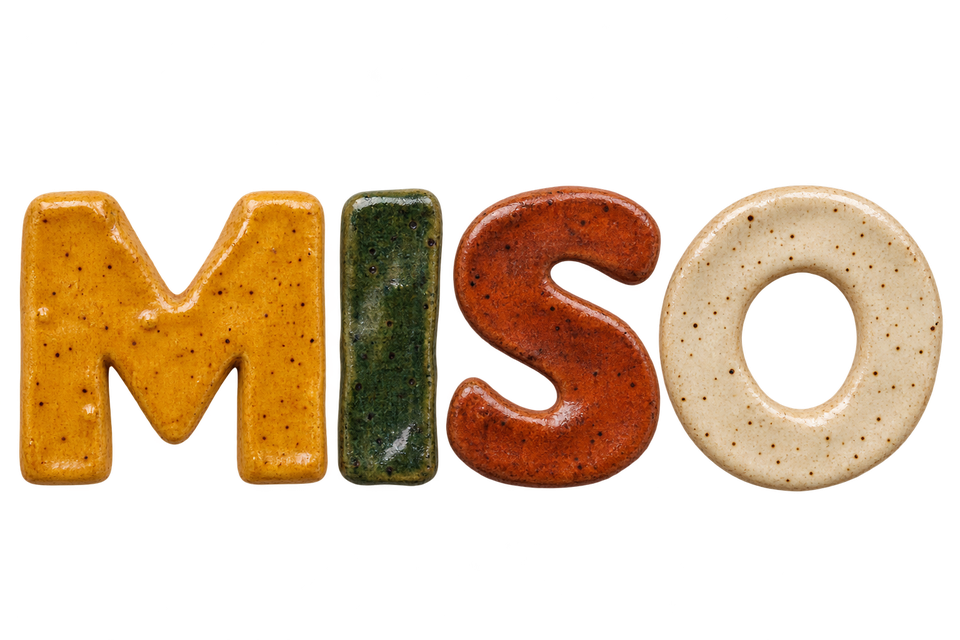
Creative example
Editorial illustration created with OpenAI ImageGen. Use the example to inspect edges and reproduce the workflow.
Glazed ceramic wordmark
Render "MISO" as four hand-built speckled ceramic letters. Give them saffron, forest green, rust and ivory glazes. Preserve the letter order and leave open space around each letter. Transparent background.
Frequently asked questions
Can I start from a reference?
Yes. Select image editing and upload an image you have the right to use.
How do I check the output?
Review the design at favicon and full size. Check existing trademarks before commercial use and use a vector design workflow when you need scalable outlines.
How much does one image cost?
The generator shows the total before submission. Standard generation starts at 12 credits, and a standard edit with one reference starts at 14.
How can I refine a result?
Open a previous result and choose Edit this result. Specify the change and what to keep.
Which file should I keep?
Keep your original reference and the accepted export. Keep a separate editable copy of text that must be exact.