
Seedream Image Creation and Editing: A Practical First Workflow
Start a Seedream creative task with a clear brief, choose generation or reference editing, review the quote and refine one problem at a time.
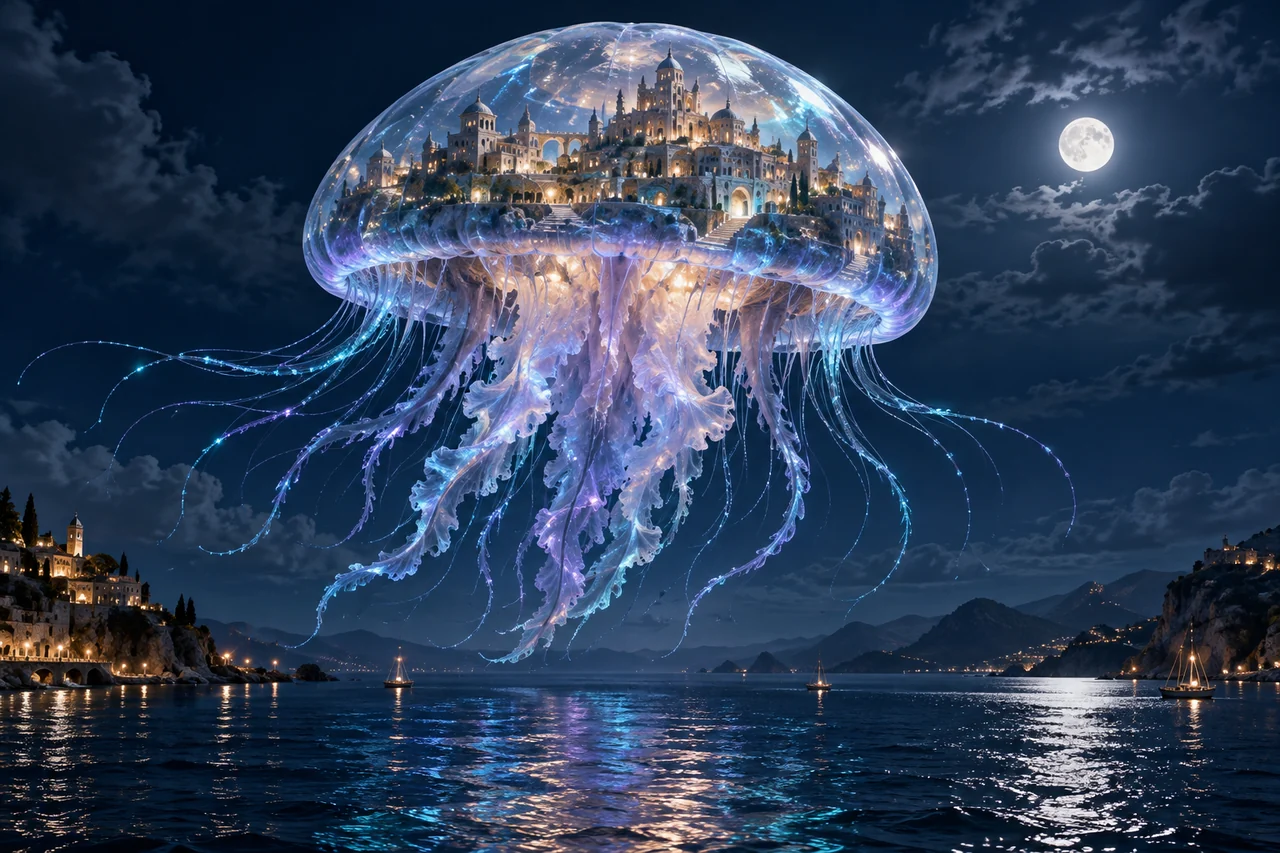
A useful Seedream brief says what the picture must do, what should appear in it and what must stay unchanged. Start with one deliverable, make one controlled request, then judge the result against that brief. This guide explains a workflow; the generator remains the source for actual model availability, settings and task quotes.
Define the destination before the style
A square product tile, a portrait poster and a wide banner need different compositions. Write down the placement, the subject and one pass condition before adding adjectives. For a banner, reserve the area where the headline will go. For a character image, decide whether the face or the whole outfit matters most. Choose the output ratio in the generator as well as describing the framing in your prompt.
Choose words, a reference, or both
Use generation when you are inventing a scene. Use reference editing when an existing identity, object or composition should guide the result. Upload a clear source image that you have permission to use. A comparison collage on this website explains a concept; it is not automatically your reference file. With several references, explain each image’s role rather than asking the model to guess.
Write the brief in a useful order
Describe the subject and action, composition, lighting, material and constraints. If lettering belongs in the artwork, put the exact words in quotation marks and state their hierarchy. Avoid combining mutually conflicting styles in the first request. Here is an original starting brief; change the subject and framing to suit your placement.
An adaptable prompt
A translucent jellyfish floats above a quiet dark ocean. Inside its bell is a detailed miniature coastal city, visible through clear organic material. Cyan moonlight, small warm windows, believable scale, one coherent scene. No lettering or logos. Leave breathing room around the silhouette.
Review the quote, then follow the task
Check the actual model name, operation, output ratio, reference list and output count. Read the displayed credit quote before submitting. More outputs multiply the work, and model settings can affect the cost. After submission, follow the existing task instead of clicking again because a response takes time. For a billing question, save the task identifier and the settings used.
Refine the observed problem
Inspect the entire image at its intended size. Check hands, geometry, text, identity and the crop. Save a version that already satisfies most of the brief. In an edit, state one desired change and a short preservation list: for example, soften the wall light while keeping the face, outfit, camera and framing unchanged. A completed result may still need manual correction before publication.
Put the brief to work
Choose one observable goal, submit a controlled request and save an accepted baseline before revising.
Frequently asked questions
Which Seedream model should I select?
Choose from the live generator and read the family guide. Match supported settings to your task; do not assume a higher version number guarantees a better result for every brief.
Can I begin without a reference photo?
Yes. Write a generation brief for an invented scene. Use editing when a real source identity or object must guide the image.
Does one request guarantee a finished image?
No. Plan for inspection and possible revisions. Account credits fund requests rather than a guaranteed count of publishable designs.
Related guides and sources
- Seedream Model Guide: 5.5, 5.0 Pro, 5.0 Lite and 4.5
- Seedream Photo to 3D Figurine: A Reference Editing Brief
- Seedream Fashion Portrait Prompts: Outfit, Light and Identity
- Seedream Bilingual Poster Guide: Exact Text and Clear Hierarchy
- Seedream Credits and Plans: Budget for Tasks, Not Promised Images
- Pricing
- Refund policy
- Open the generator