
Seedream Bilingual Poster Guide: Exact Text and Clear Hierarchy
Create English and Chinese poster concepts with a locked copy sheet, one visual hierarchy and character-by-character review.
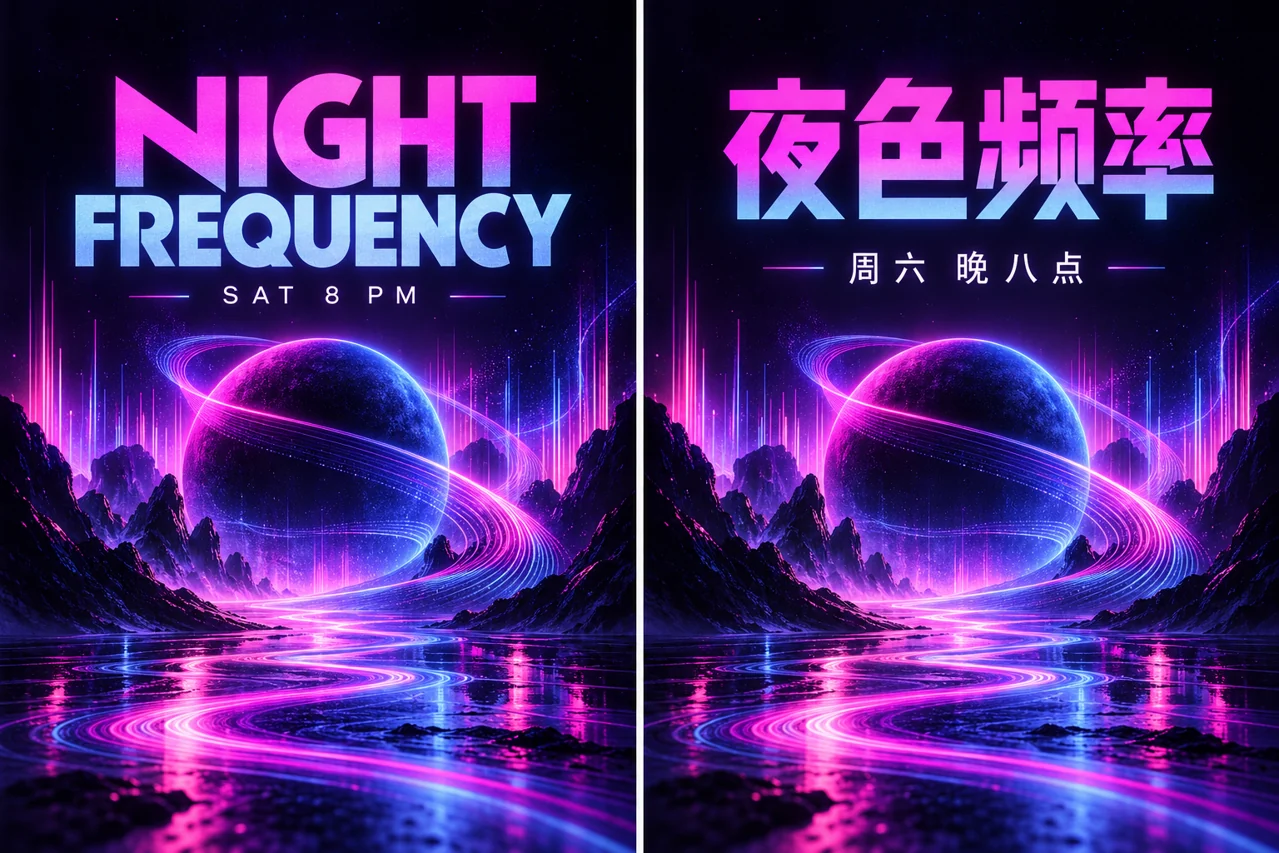
For a bilingual poster, prepare the wording before the image. Give English and Chinese versions their own exact copy, then keep the visual hierarchy consistent. A polished picture can still contain an incorrect date, missing character or misleading venue, so inspect the words separately from the artwork.
Make a small locked copy sheet
Separate headline, subtitle, date, location and call to action. Have a fluent reader confirm both languages. Put the exact text in quotation marks and explicitly exclude extra words. If the event details are not final, keep them out of the generated image rather than inventing a plausible location or time.
Choose hierarchy before decoration
Specify one large headline, a smaller date line and an image area. English and Chinese need different line breaks; matching the count of lines is less important than keeping the reading order clear. Leave safe margins for the destination format. For a pair of posters, describe the shared visual system and then the language-specific text.
Use a short first test
Start with one headline and one supporting line. Judge spacing, letter shapes, contrast and word order. A successful short test is easier to refine than a dense poster full of unverified small print. Official Seedream descriptions discuss text-related capabilities, but those claims do not remove the need to inspect your own output.
An adaptable prompt
Create two related music-event poster concepts. English headline exactly "NIGHT FREQUENCY", supporting line exactly "SAT 8 PM". Chinese headline exactly "夜色频率", supporting line exactly "周六 晚八点". Shared deep navy, cyan and violet visual system with one abstract glowing planet. Clear headline-first hierarchy, generous margins, no venue, price, logos or extra words.
Check text outside the visual impression
Read every character, digit and punctuation mark against the copy sheet. Check both full size and a phone-sized preview. OCR can help locate a possible mismatch, but it can also accept a visually similar error. Important dates, prices and legal text are often easier to maintain in a separate editable typography layer.
Export for the real placement
Inspect the final crop and its actual pixel dimensions. Avoid judging tiny text only in a large desktop preview. If the design will be printed, a generated image alone does not establish bleed, color handling or printer requirements; confirm those separately with your production workflow. Keep the approved copy sheet with the final export.
Put the brief to work
Choose one observable goal, submit a controlled request and save an accepted baseline before revising.
Frequently asked questions
Can I trust all generated lettering?
No. Check every word and character against approved copy, including dates and punctuation.
Should Chinese and English have identical line breaks?
No. Keep their reading hierarchy consistent while allowing natural breaks for each language.
Does a high-resolution image make a poster print-ready?
Not by itself. Final dimensions, bleed, color and printer requirements still need checking.
Related guides and sources
- Seedream Image Creation and Editing: A Practical First Workflow
- Seedream Model Guide: 5.5, 5.0 Pro, 5.0 Lite and 4.5
- Seedream Photo to 3D Figurine: A Reference Editing Brief
- Seedream Fashion Portrait Prompts: Outfit, Light and Identity
- Seedream Credits and Plans: Budget for Tasks, Not Promised Images
- Pricing
- Refund policy
- Open the generator
- Seed model directory
- Seedream 5.0 Pro
- Seedream 5.0 Lite
- Seedream 4.5